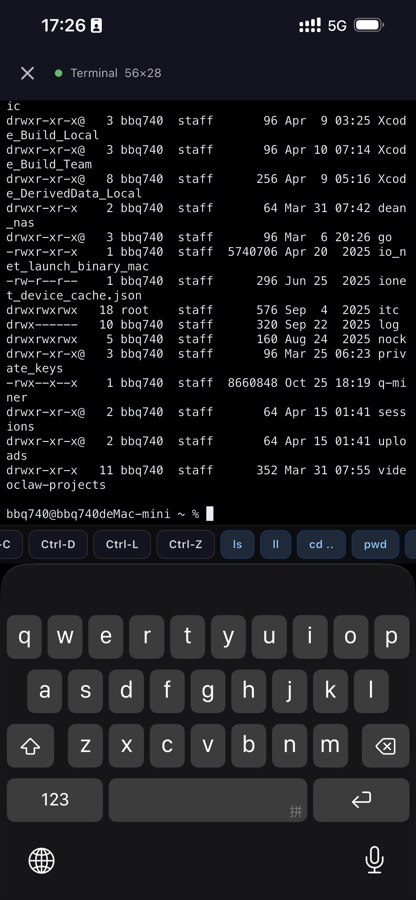
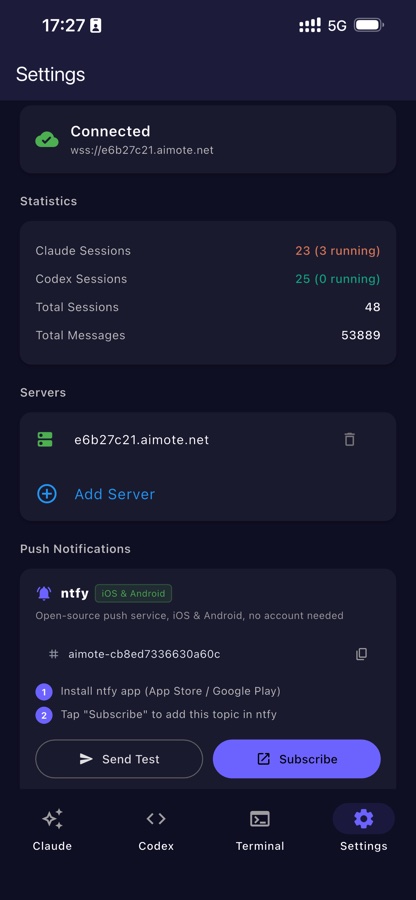
Control Claude Code and Codex CLI from your phone. One command install, QR scan connect — works over LAN or via secure tunnel from anywhere on the internet.
curl -fsSL https://aimote.net/install.sh | bash
▄▄▄▄▄▄▄▄ ▄▄ ▄▄▄▄▄▄▄▄ █ ▄▄▄ █ ▄██▄ █ ▄▄▄ █ █ ███ █ ▄▀▀▄ █ ███ █ █▄▄▄▄▄█ █▄█▄ █▄▄▄▄▄█ ▄▄ ▄▄▄▄▄ ▀▄▄ ▄▄ ▄▄▄▄ ▄▀▄▀▀▄▀▀█▀▄▀▄▀▄▀▀▄▀ ▀▀ ▀ ▀▀▄▀▄▄▀▀ ▀▀▀▄▀ ▄▄▄▄▄▄▄ ▀▄▄▄▀ ▄ ▄▀▄ █ ▄▄▄ █ ▄▄▄▀ ▄▄▄▀▄▄ █ ███ █ █▄ ▀▄███▄▀▄ █▄▄▄▄▄█ ▄▄▀▄▀▀ ▄▄▀
Designed for developers who want their AI available wherever they are, on any device.
Start the server once and get a stable *.aimote.net URL instantly. No DNS, no certificates, no port forwarding. Powered by Cloudflare.
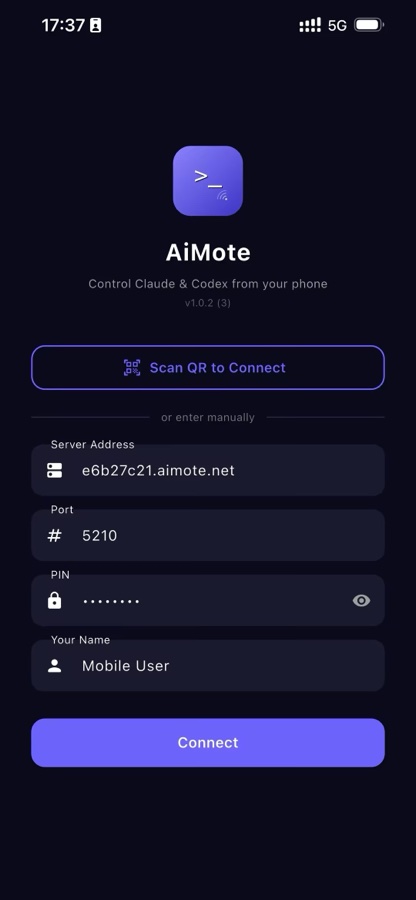
Open the mobile app, tap the QR icon, point your camera. Done. No typing, no copy-paste — you're connected in under three seconds.
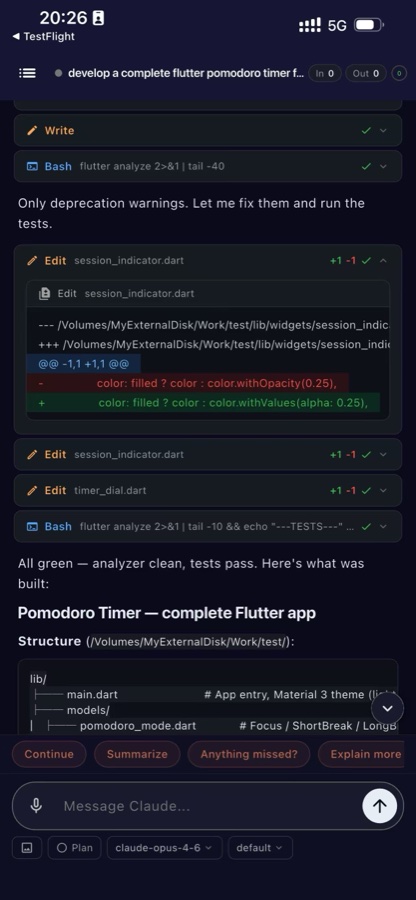
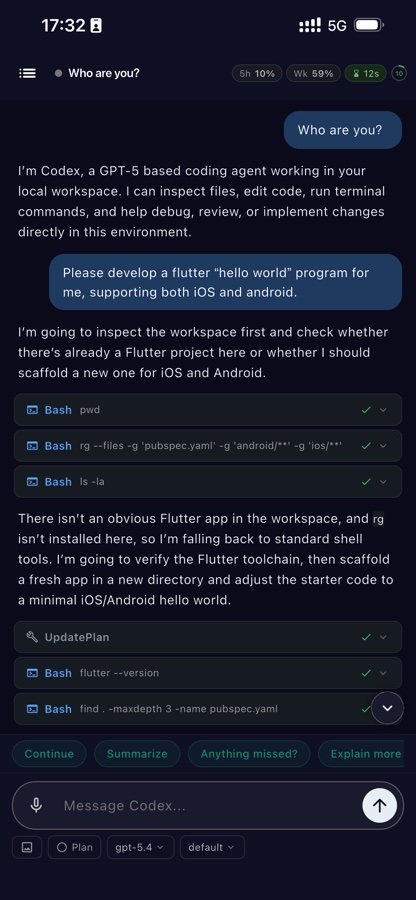
Watch Claude think and code in real time. Tool calls, file edits, terminal output — everything streams to your phone the instant it happens.
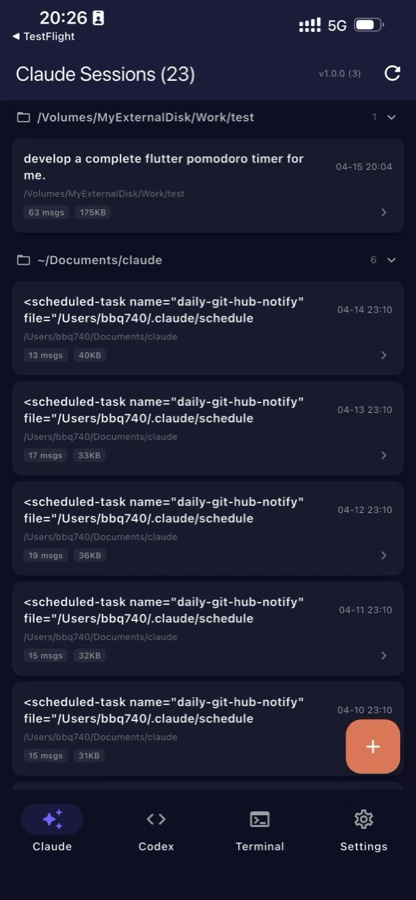
Every conversation is archived. Browse history, resume where you left off, pick up a session from any device at any time.
Every connection requires an 8-character PIN. Your AI workspace is yours alone — no accidental public exposure.
macOS, Linux, and Windows. Claude Code and Codex CLI both supported. The mobile app runs on iOS and Android.
From zero to connected in under two minutes.
Run curl -fsSL https://aimote.net/install.sh | bash on your Mac or Linux machine. Windows users run the PowerShell script. The first launch starts a one-time setup wizard.
Open the AiMote app on your phone, tap the QR icon on the connect screen, and point your camera at the code shown in your terminal or browser.
Your Claude Code and Codex CLI sessions appear instantly. Start a new conversation, send a message, watch the output stream — all from your phone.
Pick the mode that fits your setup. You can switch any time by editing ~/.aimote/config.json.
A free, stable subdomain under aimote.net. Unique to your machine. Works from anywhere — no router config, no DDNS, no headaches.
Bring your own Cloudflare account and root domain. Full control over your subdomain, routing, and access policies.
No tunnel at all. Bind to 0.0.0.0 for LAN access, or use your own reverse proxy. Perfect for homelab setups and VPN users.
AiMote Cloud is the default — zero config, handled by our provisioning Worker. The other tabs are for when you want your own domain or your own tunnel.
One command — downloads a pre-built server bundle + cloudflared, sets up a launcher. No Cloudflare account needed, no API token handling on your end.
The server POSTs your machine's hash to provision.aimote.net. The Worker there creates a Cloudflare Tunnel + DNS record and returns a tunnel token scoped to only that one tunnel.
Once the server starts, it prints a QR containing aimote://connect?host={hash}.aimote.net&pin=…. Open the phone app, tap Scan QR, done.
cloudflaredIf you installed via install.sh, it's already at ~/.aimote/bin/cloudflared — reuse it.
This exposes your local server to a random *.trycloudflare.com URL. Keep this terminal open.
Look for a line like https://random-words.trycloudflare.com in the output.
Edit ~/.aimote/config.json — switch mode to manual and paste the domain:
Restart the server. The QR page now encodes wss://random-words.trycloudflare.com — scan it from anywhere.
cloudflared restarts. Great for demos and testing — not for long-term setups.
Go to Cloudflare Dashboard → My Profile → API Tokens → Create Token. Use a custom token with these permissions:
Scope it to the account and zone (root domain) you want to use.
If you already have a config, remove it first to trigger the wizard:
When asked, choose 2) Cloudflare Tunnel. Paste your API Token and enter your root domain (e.g. example.com). The wizard will:
aimote-xxxx.example.comFrom now on, aimote launches the WebSocket server and the cloudflared tunnel together. Your subdomain stays stable — tied to your machine's hostname hash.
hostname()). If you want to change it, edit cloudflare.subdomain in config.json manually.
Set the server to listen only on 127.0.0.1 so it's not exposed directly — the proxy handles the public traffic:
Caddy — auto TLS, shortest config:
nginx — bring your own cert (Let's Encrypt, etc.):
Upgrade and Connection: upgrade headers are required for WebSockets. Without them the client hangs at auth. Raise proxy_read_timeout to an hour so long-running agent sessions don't get cut.
The mobile app picks a URL scheme based on what you type into the connect form:
wss:// on port 443. Port field is ignored.ws://ip:port, plain TCP.wss:// or ws:// → used as-is.https:// on port 443 with valid TLS. Self-signed certs will be rejected.
Install the server on your machine, download the app on your phone.
Runs on macOS, Linux, and Windows. Requires Node.js 18+.
curl -fsSL https://aimote.net/install.sh | bashirm https://aimote.net/install.ps1 | iex
Or clone and build manually:
git clone … && cd server && npm install && npm start
Available for iOS and Android. Free to download.
Requirements on your machine:
• Claude Code CLI or Codex CLI installed
• Node.js 18+ for the AiMote server
• macOS, Linux, or Windows